Best For
- 3D printing hobbyists
- Tabletop gamers
- Cosplay makers
- DIY creators
- Home makers
- Anyone who enjoys creating custom objects
Independent Meshy Review 2026
I Didn't Need Another AI Tool. I Just Wanted More Things Worth Printing.
Short on time? This review is based on tabletop terrain, home organization, decorative prints, and small DIY projects that actually reached my home 3D printing workflow.
Owning a 3D printer creates a funny problem.
You spend weeks deciding which printer to buy.
You learn about filament, layer height, nozzle sizes, and slicer settings.
Then one day you realize you've run out of interesting things to print.
That happens to me more often than failed prints.
Some weekends I have plenty of filament but no ideas.
Other weekends I spend an hour searching STL websites, download five models, slice none of them, and end up turning the printer off.
That's where Meshy entered the picture.
I wasn't looking for software to replace Blender.
I wasn't trying to design commercial products.
I simply wanted a faster way to turn small ideas into printable objects without learning another complex design program.
Over the past few weeks, I used Meshy for the same kinds of projects I normally enjoy making at home. Some worked surprisingly well. Others never made it past the slicer.
This review isn't based on feature lists or marketing pages.
It's based on the things that actually ended up sitting on my print bed.
Quick Verdict
Meshy fits the way I already use my printer.
I rarely sit down with a detailed design plan.
Usually I just have an idea.
A storage tray for spare nozzles.
A small planter for my desk.
Some scenery for the next tabletop game.
Before trying Meshy, that idea usually sent me searching through hundreds of community uploads.
Now it often starts with a prompt instead.
Not every model comes out ready to print.
Some need thicker walls.
Some need cleaner bases.
A few aren't worth saving.
That hasn't bothered me because checking a model before printing is something I'd do anyway, even with files downloaded from Printables or MakerWorld.
Meshy didn't remove that step.
It simply gave me another way to begin.
This review is based on several weekends of personal testing using Meshy with a home FDM printer. Most models were prepared in Bambu Studio before printing. Some projects printed successfully on the first attempt, while others required wall adjustments or minor repairs. This page also contains affiliate links, which help support future testing at no additional cost to you.
At a Glance
A quick decision snapshot for readers who want the rating, fit, and home 3D printing workflow before reading the full Meshy review.
| Overall Rating | ⭐⭐⭐⭐⭐ 9.3 / 10 |
|---|---|
| Best For | 3D printing hobbyists, tabletop gamers, cosplay makers, DIY creators, home makers, anyone who enjoys creating custom objects |
| Probably Not For | Professional CAD designers, mechanical engineers, manufacturing workflows, users expecting perfectly dimensioned parts, anyone replacing Blender or Fusion 360 |
| Projects Tested | Tabletop terrain, home organization, decorative prints, and small DIY projects |
| Main Workflow | Meshy → Bambu Studio → repair, scale, slice, and print |
| Biggest Strength | It gave me another way to begin when I had filament but no good print idea |
| Would I Pay For It? | Yes, if the prompt-to-slicer process feels natural after a weekend of testing |
Try one prompt
Open Meshy with a simple project, then judge the result inside your usual slicer before spending filament.
Most of my printing projects aren't especially complicated.
They're the sort of things that slowly collect around a hobby desk.
Gridfinity accessories.
Paint bottle holders.
Cable clips.
Miniature scenery.
Simple storage boxes.
Occasionally I'll print something that serves no purpose beyond looking nice on a shelf.
The printer isn't the slow part.
Finding the right model usually is.
I like browsing community libraries, but they often feel like walking through a giant hardware store without a shopping list.
There are thousands of great models.
Just not always the one I have in mind.
Sometimes it's too large.
Sometimes it's decorated with details I don't want.
Sometimes the design is locked behind a paid membership.
Sometimes it simply doesn't exist.
When I started hearing people talk about AI-generated 3D models, I mostly ignored it.
The examples I kept seeing were fantasy characters with impossible armor or creatures that looked more interesting on a monitor than on a build plate.
That isn't what I print.
Then I noticed people generating simple household objects, gaming accessories, and decorative pieces instead.
Those looked much closer to the kinds of weekend projects I actually enjoy.
That was enough to make me curious.
Before opening Meshy, I made a small list.
Nothing complicated.
Just projects I could realistically finish over a couple of weekends.
The first category was tabletop scenery.
I play tabletop games often enough that there's always another ruined wall, broken pillar, or treasure chest worth printing.
Those are forgiving projects because tiny imperfections usually blend into the weathered look.
The second category was practical items around the house.
Small organizers.
Tool trays.
Hooks.
Things that don't need engineering precision but should still print cleanly.
The last category was decorative objects.
Plant pots.
Animal figures.
Desk ornaments.
Small gifts that don't take an entire spool of filament.
I wasn't trying to find Meshy's strongest demo.
I wanted to see how it handled the same random collection of projects that naturally builds up around a home printer.
I started on a Saturday morning with a fresh spool of PLA beside the printer and no real expectations.
The first few generations were rough.
One tray had uneven walls.
A small owl somehow ended up with wings that looked more like leaves.
Another model had tiny holes running through the bottom.
Nothing disastrous.
Just enough to make me think AI still had a long way to go.
Instead of giving up, I changed the way I wrote prompts.
I stopped trying to describe every tiny detail.
Short prompts worked better.
"Stone dice tower."
"Rounded storage tray."
"Low-poly fox planter."
The results became much more consistent.
I downloaded a handful of models and moved everything into Bambu Studio.
Some files sliced immediately.
Some triggered the repair tool.
A few needed thicker walls before I felt comfortable printing them.
That part never felt unusual.
Even community-made STL files sometimes need small adjustments before they reach the printer.
By the afternoon, the first model was already printing.
It wasn't perfect.
One corner showed a little texture that wasn't supposed to be there, and the bottom could have been flatter.
Still, it looked close enough to what I had imagined that I wanted to keep experimenting.
Instead of searching for another STL online, I opened Meshy again.
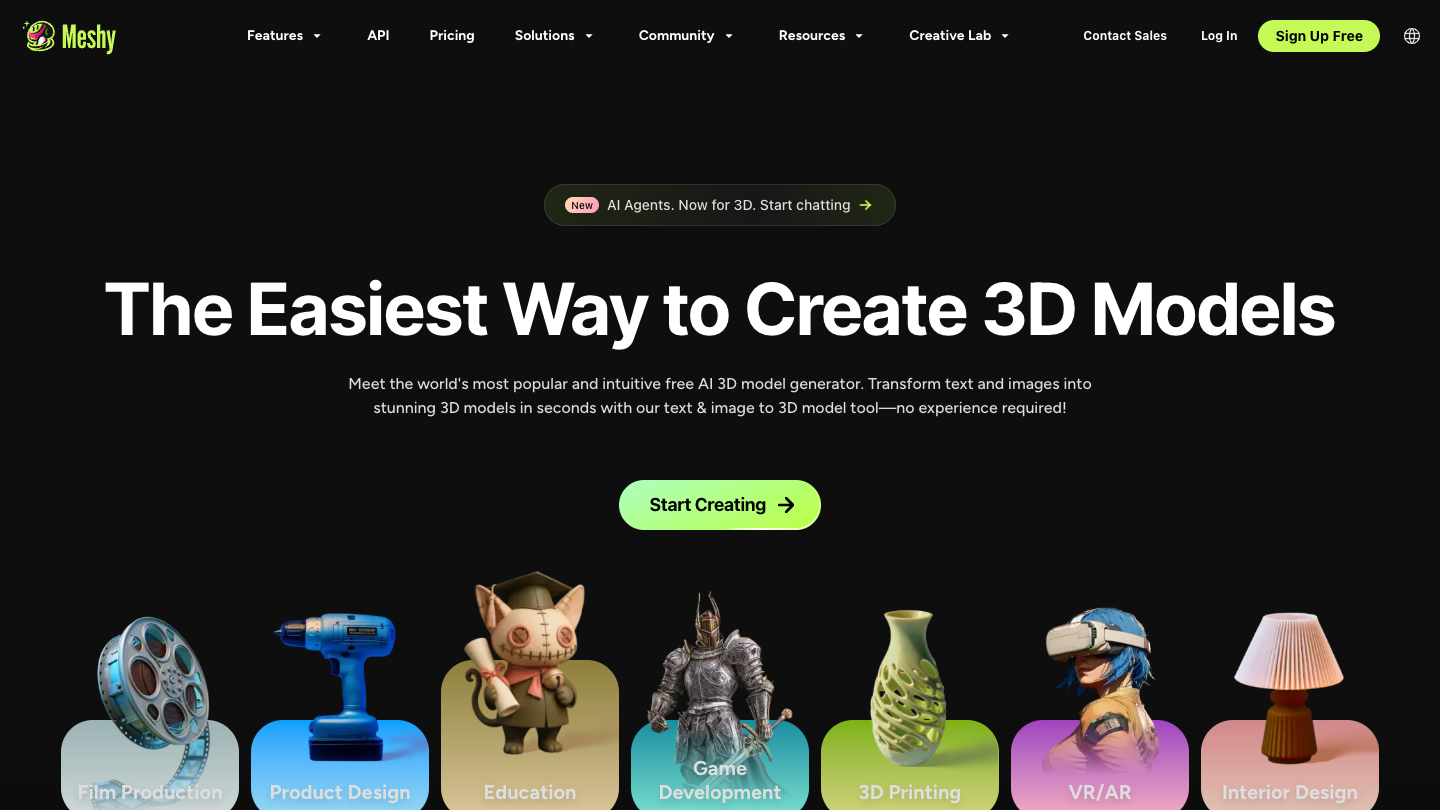
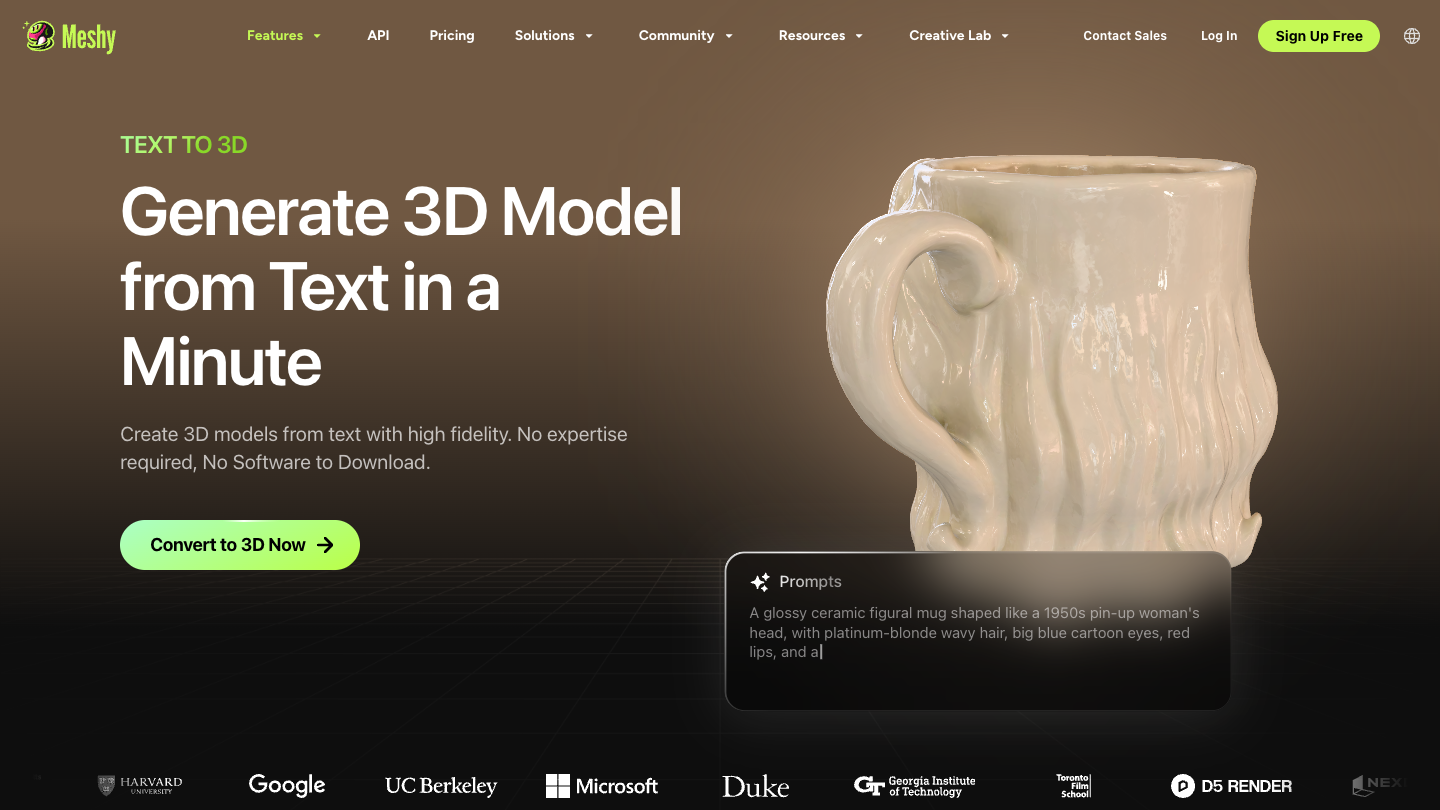
Proof Screenshot
The official text-to-3D page centers the exact promise I wanted to test: could Meshy turn ordinary weekend print ideas into models worth checking inside Bambu Studio?
Short prompts like "Stone dice tower" and "Rounded storage tray" became more consistent.
Every useful model still had to earn its place inside Bambu Studio.
Thin walls, uneven bases, and floating details still mattered.
After spending a day with text prompts, I wanted to try something different.
I walked around the house looking for ordinary objects that might become interesting prints.
The first one I picked was a ceramic planter sitting near the window.
It had a simple shape with shallow grooves running from top to bottom.
Nothing complicated.
Exactly the kind of object I thought AI should understand.
I took a few photos, uploaded one into Meshy, and waited.
The result wasn't an exact copy.
It wasn't supposed to be.
The proportions felt familiar, while the surface details looked softer than the original.
For a decorative print, that was completely fine.
Encouraged by that result, I tried a few more things.
An old coffee mug.
A small wooden toy.
A decorative lantern.
Simple objects generally worked better than anything shiny or reflective.
The AI seemed much happier when it could clearly understand the overall shape.
I stopped thinking about photo generation as a way to duplicate objects.
Instead, it became a quick way to borrow an idea and turn it into something new.
That felt much more useful for hobby printing.
One of the reasons I bought a 3D printer was tabletop gaming.
Terrain is one of those things you never seem to have enough of.
Every map needs another ruined wall.
Another staircase.
Another broken column.
Buying finished terrain can become expensive surprisingly quickly, so printing it has always been part of the hobby for me.
This turned out to be one of my favorite ways to use Meshy.
I started with simple prompts.
"Crumbling stone arch."
"Ancient well."
"Collapsed tower."
The first results weren't always printable exactly as they appeared.
Some walls were too thin.
A few floating details needed extra support.
Even so, the overall shapes were far more interesting than I expected.
After making a few small adjustments inside the slicer, several pieces came out looking great with a basic gray filament and a quick dry brush of paint.
They weren't display pieces.
They didn't need to be.
They looked good on the table, and that's all I wanted.
Decorative models are fun.
Functional prints are much less forgiving.
A storage tray either holds your tools or it doesn't.
A hook either supports weight or it breaks.
That made this part of the test much more interesting.
I generated a handful of simple organizers for my workbench.
Most of them printed successfully after small adjustments.
The dimensions weren't always exactly what I wanted, but scaling the models inside Bambu Studio solved that without much effort.
One small cable holder ended up attached to the side of my printer.
A tray for spare nozzles found a permanent place beside my filament shelf.
Those weren't complicated projects.
They also weren't things I could easily find online in exactly the size I wanted.
Generating something close and adjusting it slightly turned out to be faster than searching through hundreds of existing files.
Not every project survived.
A decorative vase generated with extremely thin walls looked beautiful on screen but would have cracked almost immediately if I had printed it.
Another organizer arrived with an uneven bottom surface that would have caused first-layer problems.
One fantasy-style lantern included so many tiny floating details that removing supports probably would have broken half the model.
Those generations never reached the printer.
I simply generated another version instead.
That became part of the workflow.
If a model looked questionable inside the slicer, I didn't spend an hour trying to rescue it.
I moved on.
Generating another concept usually took less time than repairing a bad one.
Every model eventually reached the same place.
Bambu Studio.
That's where I decide whether something actually deserves filament.
The export process itself was straightforward.
After importing the STL, I usually checked wall thickness, looked for unsupported overhangs, repaired any geometry issues, and sliced the model to see if anything unexpected appeared.
Sometimes nothing needed changing.
Sometimes automatic repair solved everything.
Occasionally I'd scale a model slightly or rotate it to reduce supports.
That routine became familiar after only a few projects.
Meshy wasn't replacing my slicer.
It was simply replacing the blank page that usually came before it.
Instead of wondering what to print next, I already had something waiting on the build plate.
After a few weekends, I noticed something had quietly changed.
When I had a new printing idea, I no longer opened Printables first.
I opened Meshy.
That doesn't mean every project started there.
Sometimes I still found exactly what I needed in community libraries.
But if the idea was even slightly specific, it felt quicker to generate a few versions before searching through hundreds of existing uploads.
I also enjoyed how little pressure there was.
If one generation looked strange, I simply tried another prompt.
There wasn't a feeling that I had wasted an evening.
That encouraged me to experiment with ideas I probably would have ignored before.
A mushroom-shaped planter.
A simple dragon egg container.
A small sign for the shelf above my printer.
Some prints worked.
Some didn't.
Trying them felt easy enough that I stopped worrying about whether every project would succeed.
Another thing I appreciated was how naturally Meshy fit into the rest of my workflow.
I never felt like I had to change the way I already printed.
The slicer stayed the same.
The printer stayed the same.
Meshy simply became the step before both of them.
The learning curve wasn't difficult, but there was one adjustment I had to make.
I stopped treating prompts like instructions.
I started treating them like suggestions.
The shorter I kept them, the more consistent the results became.
Whenever I tried describing every tiny detail, the models usually became less useful.
Simple prompts produced cleaner shapes.
There were also projects where AI simply wasn't the right tool.
Anything that depended on exact measurements still required traditional design software.
If I wanted a replacement part for something around the house, I'd rather build it properly than hope AI guessed the dimensions.
Very detailed mechanical pieces weren't where Meshy felt strongest either.
For the projects I enjoy most, those limitations rarely mattered.
I wasn't trying to manufacture anything.
I was trying to make things that would be fun to print.
Start small
Generate a few realistic models, check wall thickness and bases, then decide whether Meshy belongs in your print routine.
Pricing
I started with a smaller plan because I wasn't sure how often I'd actually use it.
That turned out to be the right decision.
Some weeks I generated dozens of models.
Other weeks I barely logged in because my printer was already busy finishing older projects.
The credit system matched that pattern better than I expected.
Instead of feeling pressured to use the platform every day, I opened it whenever I had another idea worth exploring.
If your printer spends most weekends running, you'll probably use credits fairly quickly.
If you only print once in a while, starting with the lowest plan makes more sense.
I don't think the subscription is paying for finished STL files.
It's paying for the ability to create something that probably doesn't exist yet.
Whether that's worthwhile depends entirely on how often you find yourself thinking, "I wish someone had already made this."
Check current pricing Read my complete Meshy Pricing guideOne habit I picked up was browsing models created by other users.
Not because I wanted to print the same things.
Mostly because I wanted to see how people were writing prompts.
Sometimes a surprisingly short prompt produced a much cleaner result than a long paragraph.
That changed the way I approached my own generations.
The community also reminded me that almost everyone edits their models before printing.
Someone thickened thin walls.
Someone split a large object into smaller pieces.
Someone else simplified details to make printing easier.
That felt familiar.
People weren't treating AI as the entire workflow.
They were treating it as the beginning of one.
Alternatives
Before settling into Meshy, I spent some time looking at a few other AI 3D tools as well.
Each one seemed to shine in a different area.
Tripo impressed me with how quickly it could produce different concepts.
It felt like a great place to explore ideas, especially if you enjoy experimenting with characters or stylized objects.
Rodin often generated cleaner-looking digital assets.
If I were building game environments instead of filling shelves with physical prints, I could see why people like it.
Hyper3D also has an interesting workflow, particularly for users who enjoy testing different generation methods and comparing results.
For my own projects, I kept coming back to Meshy.
Not because it was perfect.
Because it matched the kinds of things I actually print.
Simple accessories.
Tabletop scenery.
Decorative objects.
Small weekend projects that don't need to be museum pieces to be enjoyable.
Compare Meshy with other AI 3D generatorsThat depends on what you're expecting.
If you're hoping AI will replace Blender, Fusion 360, or professional CAD software, I'd probably keep looking.
That's not how I used Meshy.
I treated it as a way to get from an idea to a printable starting point more quickly.
For hobby printing, that worked well.
Most weekends I'm not designing products.
I'm looking for something interesting to put on the build plate.
Meshy helped with that.
Some models printed on the first attempt.
Others needed small adjustments.
A few never made it beyond the slicer.
That never felt disappointing because generating another version was usually faster than searching for another download somewhere else.
Ready to decide?
If Meshy gets you from idea to Bambu Studio faster than searching STL libraries, it is probably the better fit for this workflow.
My Recommendation
| User Type | Recommendation | Why |
|---|---|---|
| 3D Printing Hobbyists | Highly Recommended | Strong fit when you want more things worth printing without searching community libraries for an hour. |
| Tabletop Gamers | Recommended | A useful way to generate ruined walls, broken pillars, dice towers, and scenery pieces. |
| Cosplay Makers | Worth Trying | Useful for decorative accessories and rough concepts, as long as you expect cleanup and slicer checks. |
| DIY Creators | Recommended | Good fit for organizers, trays, hooks, and small household ideas that do not need engineering precision. |
| Professional CAD Designers | Probably Not | Anything that depends on exact measurements still belongs in traditional design software. |
| Users Replacing Blender | Not Recommended | Blender gives you control. Meshy gives you a place to start. |
Yes.
As long as you're comfortable checking a model before printing, it fits naturally into a normal hobby workflow.
No.
I see the two tools doing different jobs.
Blender gives you control.
Meshy gives you a place to start.
Not always.
Some need thicker walls, cleaner bases, or small repairs before slicing.
That's something I'd recommend checking with any STL file, no matter where it came from.
It worked well for me.
Most of my testing happened inside Bambu Studio, where I repaired models, adjusted scaling when necessary, and prepared everything for printing.
If you've already printed a few models and understand how a slicer works, I think you'll feel comfortable quite quickly.
Meshy has offered a way to start without jumping straight into a larger plan, but I would always check the current pricing page before making a decision.
The value depends on how often you generate models that are worth sending to your slicer.
For my 3D printing workflow, the important part was whether I could move a generated model into Bambu Studio and inspect it there.
I still checked every file before printing, just like I would with a downloaded STL.
Yes, but I had better results when I kept prompts simple and focused on the kind of object I wanted to print.
Short ideas like a dice tower, storage tray, or planter were easier to judge than over-detailed instructions.
I treated image generation as inspiration rather than exact duplication.
Simple shapes worked better than shiny or reflective objects, and the results still needed normal slicer checks.
For me, it becomes worth paying for when it saves enough searching time to make weekend printing feel easier.
If you only print existing models, the value is much lower.
Final Verdict
My printer still spends hours working on a single model.
That hasn't changed.
Support removal is still messy.
Filament still runs out at inconvenient moments.
Large prints still test my patience.
Meshy didn't change any of that.
What changed was everything before the printer started.
Instead of wondering what to make next, I usually had a few ideas waiting.
Some became finished prints.
Some stayed inside the slicer.
Some disappeared after a second generation looked better.
That feels like a perfectly normal part of the hobby.
Not every project needs to become a finished object.
Sometimes half the fun is simply seeing whether an idea can become something real.
That's the part Meshy added to my weekends.
If you already enjoy spending weekends with a 3D printer, I think Meshy is worth trying.
Start with a small batch of credits.
Generate a few models that you actually want to print.
Run them through your usual slicer.
If that process feels natural, you'll probably know within a weekend whether it belongs in your workflow.
That's exactly how I approached it, and it's still how I use it today.
What changed was everything before the printer started.
Support removal is still messy, filament still runs out, and not every project needs to become a finished object.
Yes, if that process feels natural after a weekend of testing.
Overall Rating: ⭐⭐⭐⭐⭐ 9.3 / 10